 Code of Conduct
 Ethical Mgmt
 Speak-up Culture
 Latin America
 Asia Pacific
 FX Global Code
 Financial Services
 North America
 Europe
 Middle East
 MSBs
MSBs FinTech
 Insurance
 Investing
 Casinos
 Retail Banks
 Manufacturing
 U.S. National
 Canada
 California
 New York
 Illinois
 Connecticut
 Maine
Maine Delaware
 Retail
 Warehouse
 Healthcare
 Animated
 Billing & Revenue
 IT & Admins
 Leadership
 Ontario
 British Columbia
 UK Induction
 Australia & NZ
 Workplace Violence Prevention
 Canada
 Italy
Italy Active Shooter
 AI & Workplace
 Corporate Ethics
 Whistleblower
 Gvmt Contracting
 Export Controls
Compliance training has historically been a static, one-size-fits-all product that is painful to edit and generic to consume. If you wanted something bespoke, you were often faced with costly manual customization or expensive professional services.
Meet Compass, Ethena’s AI agent designed to move you from static off-the-shelf content to training that customizes itself to you. With Compass, you can provide context about your organization – your policies, workplaces, and brand voice – and instantly receive training tailored to your needs.
Below is a walkthrough of how Compass helps you transform Ethena’s training to feel unmistakably yours, but first, our CEO Roxanne Petraeus wants to show you her favorite parts of Compass:
How Compass Works
1. Choose your "Learning Path"
Instead of a list of unorganized modules, you now start with a Course and choose the specific variant to your needs - Cybersecurity for Banks, or Harassment Prevention for Retail. It’s easy to assign our off-the-shelf courses in a few quick clicks, but now you can duplicate an existing course and quickly customize the entire course with one prompt.
How you can use it:
- Pick a variant: Quickly see all variations of a course, such as those tailored for Workplace Safety for Healthcare learners.
- Create targeted Learning Paths: Select and group course modules into Learning Paths with specific rules for which learners receive which content (e.g., a California path vs. a New York path).
- Have no fear of messing up: you’ll always have access to Ethena’s original, unedited courses as a safe starting point.
2. Transform entire modules with a single prompt
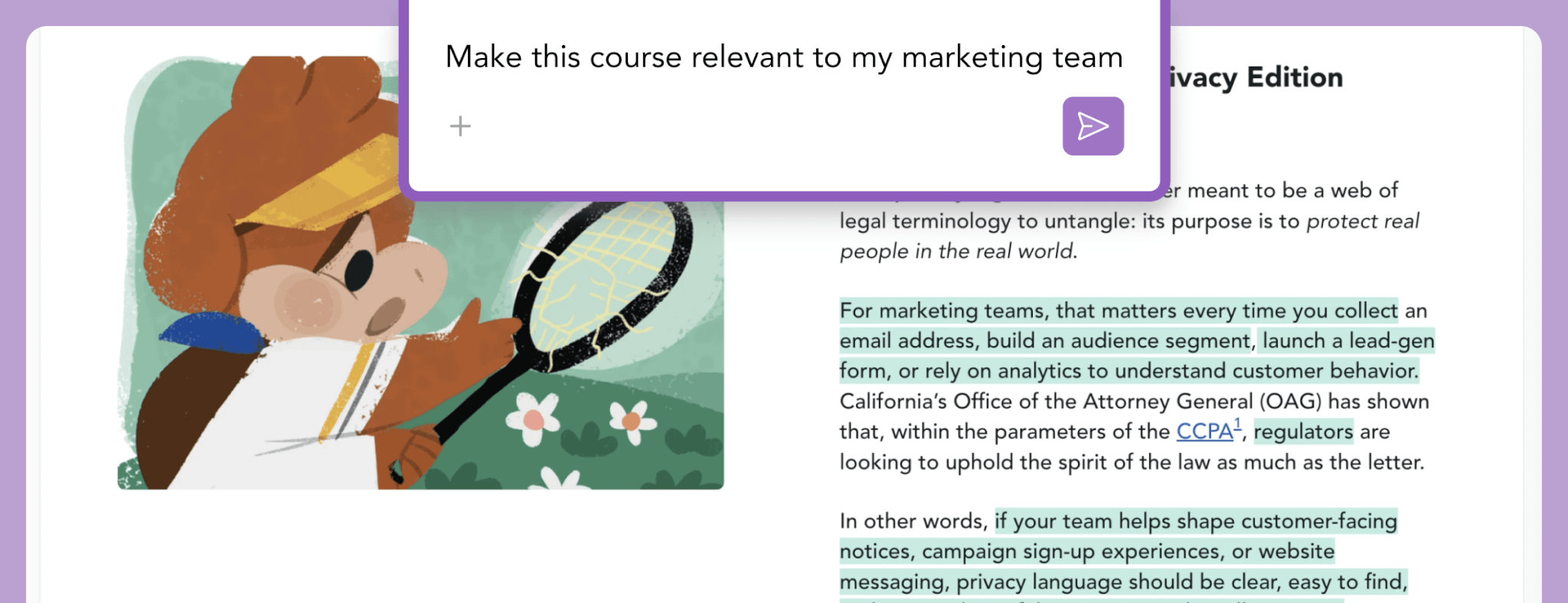
Last year, we gave you the ability to edit individual training slides; now, we’re giving you the ability to edit a whole training course from one prompt. You can transform an entire course in about 30 seconds, eliminating the need for tedious, slide-by-slide updates.
How you can use it:
- Swap terminology: "Change all instances of ‘Employee’ to ‘Teammate’ and ‘HR’ to ‘People Team’"
- Adjust the level: "Simplify this module to an 8th-grade reading level"
- Inject brand voice: "Make this training feel like Lyft" or "Make it look and feel like Adidas, including soccer references and images"
- Get policy specific: “Include references to our own employee handbook policies and procedures”
3. Turn your PDFs into interactive training with File Uploads
Have a unique company policy or a new slide deck? Compass includes our AI Training Builder that transforms static documents into structured, interactive training modules.
How you can use it:
- Policy-to-Course: Upload an Insider Trading policy PDF to generate a bespoke training module instantly
- Integrate custom media: Upload your own mp4 videos or SCORM files to sit alongside Ethena’s core content
- Easily edit content: Edit across your new course using a prompt from Compass or fine tune it manually
- Industry-specific focus: Use your own safety manuals to create scenarios specifically for field technicians or drivers
4. Refine with "Compliance-in-the-Loop" oversight
AI does the heavy lifting, but you maintain expert oversight. Compass is built with enterprise-grade safeguards, meaning every AI-generated edit must be reviewed by an admin before it ever reaches a learner.
How you can use it:
- Visual review: Clearly see exactly where edits have been made throughout the training, and toggle between the original and edited versions.
- Accept or Reject: Use the mandatory preview to approve hallucinations-free content or reject changes that don’t hit the mark.
- Sequential edits: Make multiple updates in a single session, meaning you can read, update, and generate new images in a loop until it’s perfect.
5. Organize and assign with total independence
Compass takes you from editor to strategist. You’re empowered to take full command of your training strategy, with the freedom to reorganize or pivot versions instantly.
How you can use it:
- Mix and match: Fine-tune your learning paths with drag-and-drop capabilities, so you can combine your customized content with any Ethena off-the-shelf content to deliver as one cohesive course
- Custom branding: Compass automatically uses your company name and branding to keep training looking on-brand
- Independent assignment: Choose and assign your selected course variants directly through the redesigned assignment flow or simply export to SCORM for use in any LMS
A New Era of Dynamic Compliance
Compass brings speed, accuracy, and flexibility to your workflow so your team spends less time rewriting slides and more time keeping employees informed and engaged.
Ready to make every course feel like it was built just for you?